
MacBook Pro vs MacBook Air (M-Series): Which One Should You Really Buy?
- February 24, 2026
- admin
- 4:40 am
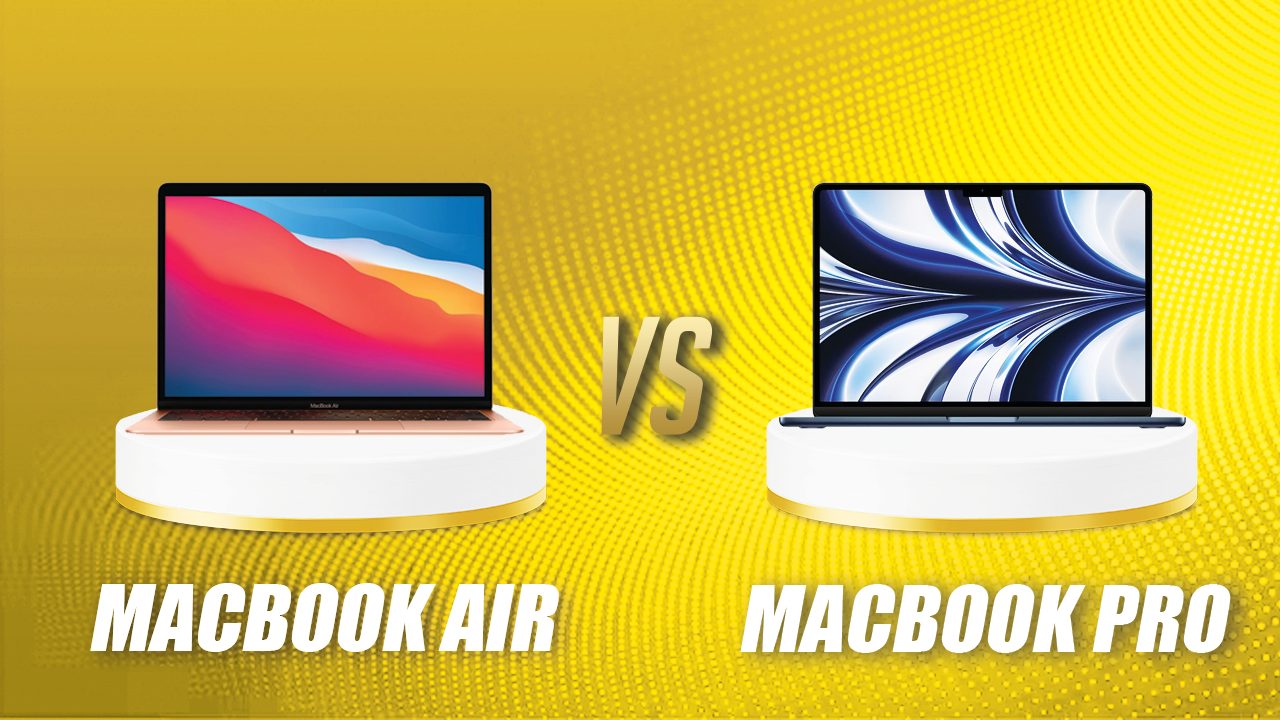
If you are an Apple Lover at least once you must have wondered which is the best fit for you between the MacBook Pro and the MacBook Air. Especially in Nepal, as we have so many Apple products available.
On paper, both engines look fast and premium and have a fantastic battery life.
But don’t be mistaken, their purposes are completely different and you will need to know all the Apple Mac Prices in Nepal.
Performance: Power vs Efficiency
The MacBook Pro is recommended for heavy, sustained workloads. It includes active cooling , which means you won’t get heating issues with this. So expect a smooth working environment while performing highly demanding tasks like video editing, music production, 3D rendering, or long coding sessions.
MacBook Pro models are available with M4, M4 Pro, and M4 Max chips. These variants are recognized as Mac laptops that consist of more CPU cores, more GPU cores, and higher memory bandwidth — meaning better performance under pressure.
In contrast, MacBook Air is completely fanless which is the main reason Air is silent and incredibly thin. Heavy workload can make throttle performance one of the reasons for this besides the processor is also heating. For everyday use — browsing, office work, light editing, programming it is surely more than enough and actually designed for travel. For sustained heavy workloads go with the Pro.
Display Quality: A Clear Difference
We have seen that in Macbook Pro vs Macbook Air this is one the main concerns for Nepali audience.
The MacBook Pro consists of Liquid Retina XDR display thus it has a higher peak brightness and ProMotion (120Hz refresh rate). For outdoor use or if you generally prefer a better screen it’s brighter, smoother, and better suited for professional color work or HDR content.
On the other hand, MacBook Air uses a standard Liquid Retina display with lower peak brightness and a basic 60Hz refresh rate. The display look cool, but if you want a crisp colored creative color grading or HDR workflows go with Pro.
Ports and Connectivity
This is one of the most visible differences in MacBook Pro vs MacBook Air is the ports giving you more physical flexibility. It includes:
- HDMI port
- SD card slot
- Multiple Thunderbolt ports
- MagSafe charging
MacBook Air has fewer Thunderbolt ports and lacks HDMI and SD card slots.
If your work setup is linked with multiple external monitors, cameras, SD cards, or accessories, the Pro makes your workload much easier. In fact, if your planning includes two external monitors, Pro is the better choice. It simply handles multi-display setups more confidently.
Webcam and Video Calls
Recent MacBook Pro models have a feature a lot Nepali people don’t know about, the 12-megapixel Center Stage camera, that ensures a better framing and video quality.
Although MacBook Air typically has a 1080p webcam. It’s decent, significantly weaker than the Pro’s camera.
If video calls or content creation are important to you, both are good enough.
Size, Weight, and Portability
MacBook Air is available in 13-inch and 15-inch sizes. It is thinner, lighter, and easier to carry daily.
MacBook Pro comes in 14-inch and 16-inch versions. It is heavier and slightly bulkier because of its cooling system and additional hardware.
If portability is your top priority you can
Price and Value
MacBook Air is significantly more affordable. It comes in M1, M2, M3, and M4 versions, giving users flexibility at different price points.
MacBook Pro pricing rises quickly, especially when upgrading to M4 Pro or M4 Max configurations. It is an investment — one designed for professionals who rely on their machines for income-generating work.
And one important note: unless you truly need extreme workstation-level performance, you should not even consider the Mac Pro. Its price skyrockets and it is meant for studio-level production and enterprise environments, not regular users.
So Which One Should You Choose? – Mac Pro vs Mac Air
Choose MacBook Pro if you:
- Run heavy creative software daily
- Need sustained performance without slowdowns
- Use multiple external monitors
- Want the best display quality
- Require more ports and flexibility
Choose MacBook Air if you:
- Value portability
- Do light to moderate workloads
- Want strong performance at a lower price
- Don’t need many ports
- Prefer a silent machine
Final Thoughts
The MacBook Air is incredibly powerful for most users in 2026. For students, professionals, and even light creators, it’s more than enough.
But if your laptop is your primary workstation and you push it hard every day, the MacBook Pro will feel stronger, last longer under load, and provide more room to grow.
Post Views: 223